Server Room Temperature Standards: ASHRAE Guide and Ideal Values
05 March, 2026
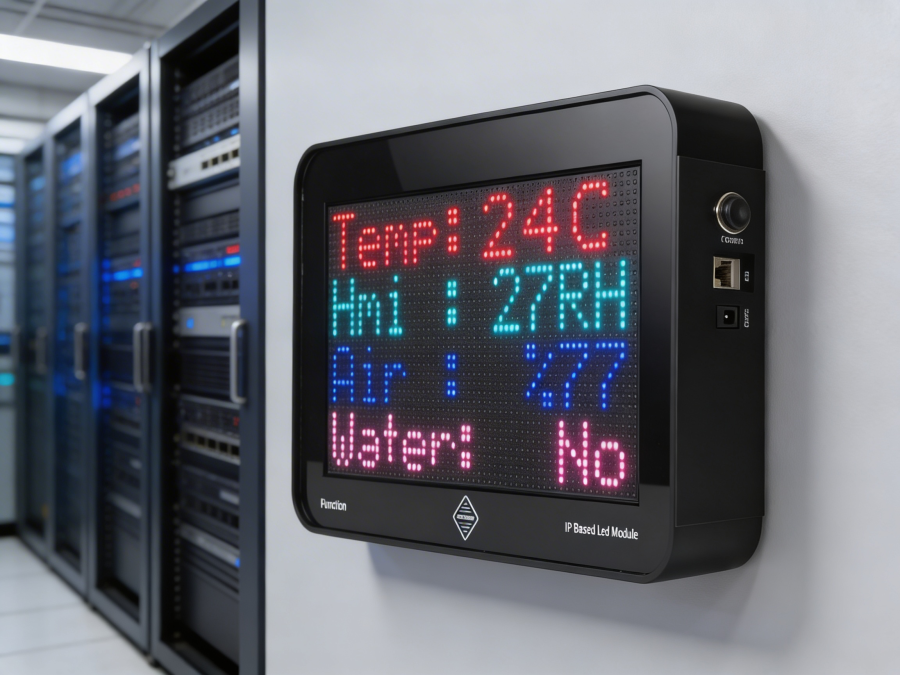
One of the largest shares of data centre operating costs is attributable to air conditioning systems. Approximately 30 to 40 per cent of total energy consumption is expended by the cooling infrastructure. This situation forces IT managers to strike a delicate balance between "sufficiently cool" and "energy efficiency". However, this balance cannot be left to personal preferences or guesswork. Server room temperature standards require mathematical precision to ensure hardware security and prevent energy waste. The American Society of Heating, Refrigerating and Air-Conditioning Engineers (ASHRAE) is the global authority that sets data centre climate control standards in this field.
Overview of ASHRAE TC 9.9 Standards
ASHRAE Technical Committee 9.9 (TC 9.9) publishes industry standards under the title "Thermal Guidelines for Data Processing Environments". This guide establishes a common language for hardware manufacturers and data centre operators. The primary purpose of the guide is to minimize hardware failures while optimizing cooling costs.
Recommended and Allowable Range Difference
The most common mistake made when applying ASHRAE standards is confusing the "Recommended" and "Allowed" ranges. These two concepts carry different meanings in terms of risk management.
● Recommended Range: This range defines the ideal conditions under which the equipment will operate at peak performance and with the longest lifespan. These are the values that businesses should aim for under normal operational conditions (24/7). According to ASHRAE, the recommended inlet temperature range is between 18°C and 27°C.
● Allowable Range: These limits are extreme values at which the equipment can operate without losing functionality, but where the risk of failure increases if it is continuously exposed to them. It is generally used for short-term tolerances in emergency situations such as air conditioning failures. For Class A1 equipment, this range is between 15°C and 32°C. Continuous operation within the permitted range causes the server fans (RPM) to accelerate and increases energy consumption.
Data Centre Equipment Classes (A1, A2, A3, A4)
ASHRAE classifies IT hardware into four main categories based on their environmental resilience. This classification plays a critical role in determining the climate control strategy.
· Class A1: Covers corporate servers and data storage units. This is the group requiring the most precise temperature and humidity control. Typical data centres fall into this class.
● Class A2: These are computing devices with slightly wider tolerances than A1.
● Class A3 and A4: Hardware that can typically operate in office environments or under harsh conditions (edge computing) and is resistant to wider temperature ranges.
Ideal Temperature and Humidity Parameters
Simply checking the thermostat setting does not ensure environmental safety. The thermodynamic relationships on the psychrometric chart determine air quality.
Dry Bulb Temperature
Dry-bulb temperature is the thermal effect of air on the sensor, measured independently of the humidity in the environment. This is the value indicated by standard thermometers which the temperature value is referenced in ASHRAE standards. However, the measurement point is of critical importance measurements should be taken at the grille (inlet) point where the server draws in cold air, not from the general air in the room.
The Relationship Between Relative Humidity (RH) and Dew Point
Relative Humidity (RH) indicates the ratio of the maximum amount of water vapour that air can hold and varies depending on temperature. As the temperature rises, the air's capacity to hold water increases and the RH value decreases at a constant moisture level. Due to this variability, ASHRAE recommends the Dew Point temperature, a more stable parameter for humidity tracking.
The dew point is the temperature at which water vapour in the air condenses into liquid form.
● Ideal Raw Point Range: 5.5°C to 15°C (DP)
● Ideal Relative Humidity Range: relative humidity (RH) top limit is %60 while bottom limit is %8
To manage the risk of condensation in the data centre, Dew Point data is a more reliable indicator than Relative Humidity data.
Sensor Placement and Blind Spots in Temperature Monitoring
The accuracy of temperature and humidity values depends on the position of the sensors. A single thermostat mounted on the wall cannot detect microclimates inside the cabinet.
Rack Cabinet Inlet Temperature Measurement
The servers draw in cooling air through the front panel and expel the heated air through the rear panel. Therefore, the sensors should be placed in the air inlet areas of the servers. Measuring the hot air exhaust at the rear indicates the server's load status, not the cooling performance of the environment. For proper climate control management, the inlet temperature on the "Cold Corridor" side is used as a basis.
Hot and Cold Aisle Sensor Positioning
Heat stratification occurs in high-density cabinets. Warm air rises, cold air sinks downside. To determine this situation, three-point measurements are recommended in each cabinet block;
- Lower Region (Low): Approximately 30-60 cm above the floor.
- Central Region (Medium): In the middle of the cabinet.
- Upper Region (High): At the top server level of the cabinet.
This method enables the detection of the "hot air recirculation" (exhaust air returning to the intake) issue.
Effects of High Temperature and Low Humidity on Equipment
Non-standard environmental conditions cause physical and chemical damage to the equipment.
Electrostatic Discharge (ESD) and Corrosion Risk
● Low Humidity and ESD: When relative humidity falls below 40%, the conductivity of the air decreases and static electricity builds up. Electrostatic discharge (ESD) caused to permanently damages sensitive circuit components by a technician touching the server.
● High Humidity and Corrosion: High humidity and pollutants such as Sulphur in the air cause "Silver Migration" or "Conductive Anodic Filament" (CAF) formation on circuit boards. This situation leads to microscopic short circuits and faults.
PUE (Power Usage Effectiveness) and Energy Saving Balance
Power Usage Effectiveness (PUE) is the fundamental metric for measuring a data centre's energy efficiency. (Total Energy / IT Equipment Energy).
Increasing the temperature set points to the upper limits permitted by ASHRAE (e.g. 26-27°C) reduces the cooling (Chiller/CRAC) load and improves the PUE value. However, if the temperature rises too high, the server fans (internal cooling) start operating at maximum speed. This situation increases the electricity drawn by the servers and negates the savings achieved by the cooling system.
The optimum point is the highest safe temperature at which the server fans do not spin excessively fast. This balance can only be achieved through real-time environmental monitoring systems and detailed data analysis.
Frequently Asked Questions (FAQ)
What is the ideal server room temperature according to ASHRAE standards?
According to ASHRAE TC 9.9 standards, the recommended inlet temperature (dry bulb) for Class A1 equipment is between 18°C and 27°C.
Why is dew point monitoring more important than relative humidity?
The dew point indicates the absolute amount of water in the air and is unaffected by temperature changes. While relative humidity fluctuates with temperature, the dew point clearly indicates the risk of condensation. For this reason, the dew point is used as a reference for precise humidity control.
What is the maximum inlet temperature for the server?
For operational continuity, it is recommended that the inlet temperature does not exceed 27°C. Although the "Allowable" upper limit for Class A1 is 32°C, prolonged operation at this temperature risks shortening the equipment's lifespan.
What is the difference between Class A1 and Class A2 data centre hardware?
Class A1 hardware (enterprise servers) is designed to operate within a narrower temperature range, such as 15°C to 32°C. Class A2 equipment can tolerate temperatures ranging from 10°C to 35°C. Most corporate data centres are climate-controlled according to Class A1 standards.
Where should the temperature sensors be mounted in the cabinet?
Sensors should be mounted on the front cover (cold aisle) where the servers draw in air. The most accurate method for measuring temperature stratification is to place three separate sensors in the lower, middle and upper sections of the cabinet.
Bibliography:
● ASHRAE. (2021). Thermal Guidelines for Data Processing Environments, 5th Edition. ashrae.org
● U.S. Department of Energy. Data Center Energy Efficiency. energy.gov
● The Green Grid. PUE: A Comprehensive Examination of the Metric. thegreengrid.org